01 / BROWSER · MEASURED RUN
Fill changing browser forms from a spreadsheet.
A saved procedure uses the field labels to fill the current row, submits it and checks the final challenge score.
THE WORK TODAY
A person copies each spreadsheet row into a browser form. The fields move, so their screen positions cannot be trusted.
WITH A SAVED PROCEDURE
A saved procedure uses the field labels to fill the current row, submits it and checks the final challenge score.
What happens.
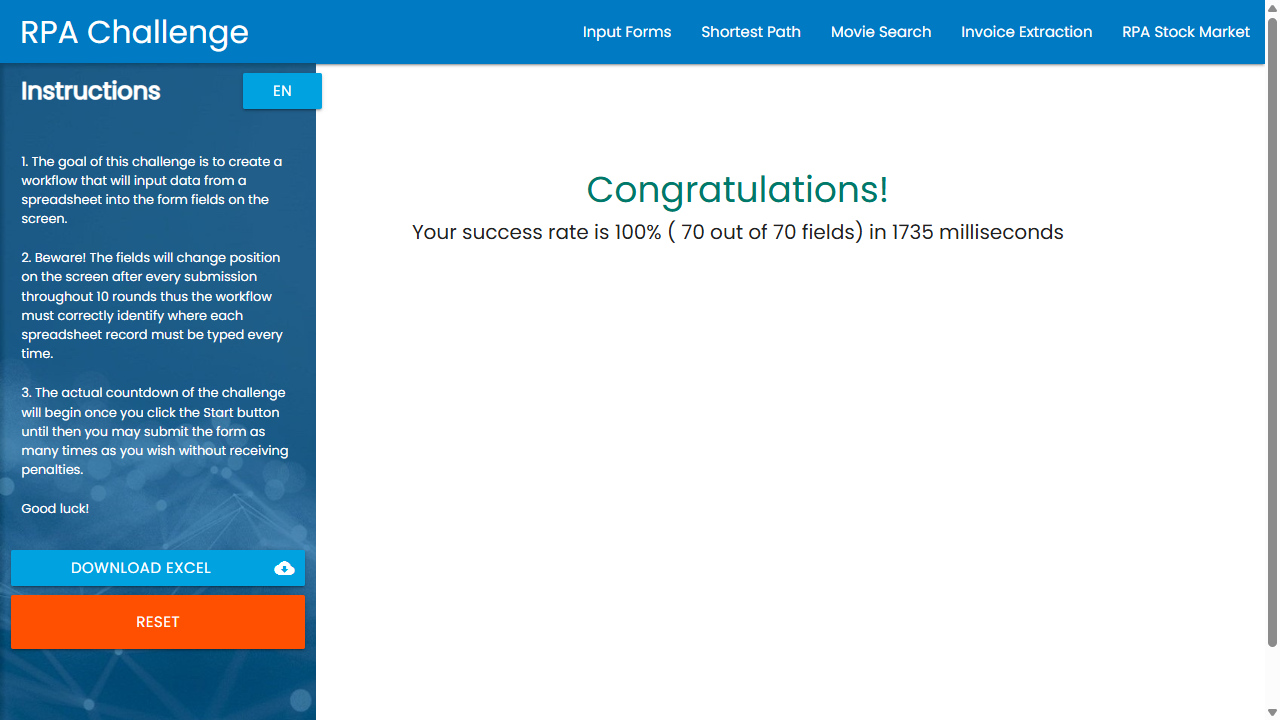
The RPA Challenge is a useful test of form interaction: its fields shuffle after every submission. Ritoko completed ten rows and all seventy fields correctly in this measured run. The challenge’s own timer reported 1,735 ms. The journal duration was 3,190 ms and the CLI took 3,559 ms, including additional work outside that timer.
- Read the workbook
- Find fields by their labels
- Fill the current row
- Submit the form
- Check the final score
WHAT GOES IN
challenge.xlsx
WHAT COMES OUT
10 submitted forms
What makes it useful.
Use this pattern for a repeatable form with stable field meanings and authorized access. In a business system, add an item-specific receipt or lookup so the workflow can prove which record was created. The challenge only provides a final batch score.
THE CHECKS
- ✓ 10 rows processed
- ✓ 70 / 70 fields correct
- ✓ 100% final score
The challenge has no per-row receipt. Its final score proves the complete batch; real business workflows need a check for each item.
Inspect the source Open the interactive showcase